
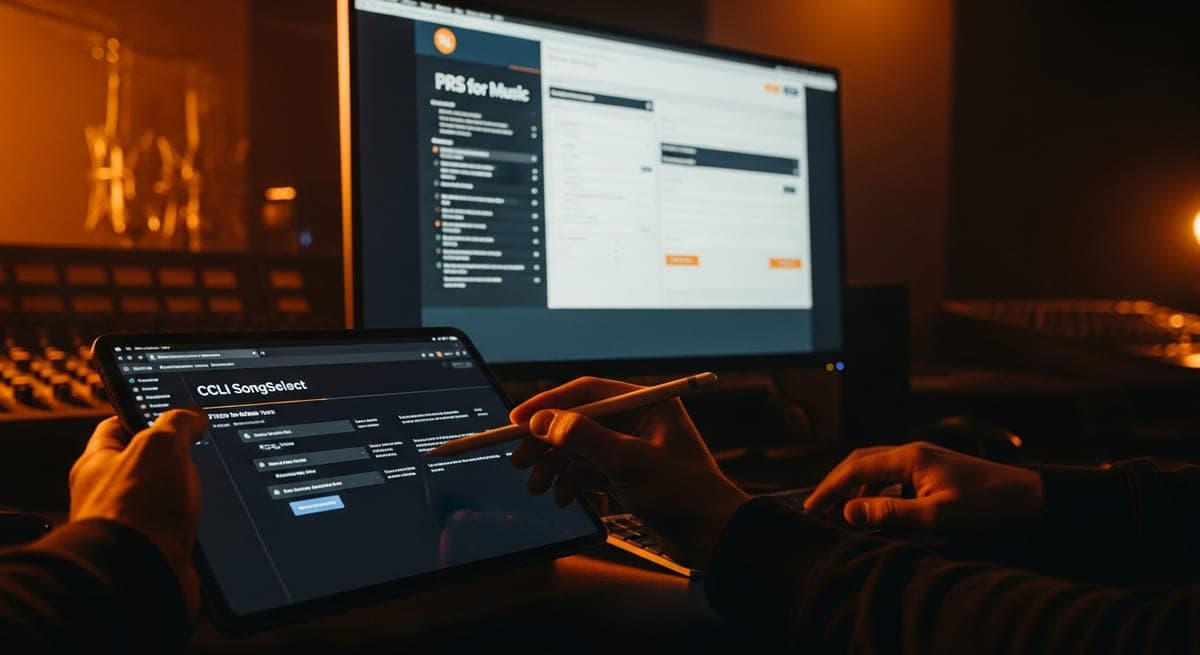
Why you need to register in two separate places
A common mistake among worship songwriters is registering with CCLI and assuming royalty collection is complete. CCLI covers church use of your songs - the distribution from church licence fees. It does not cover streaming royalties on Spotify, radio broadcast income, sync licensing fees, or mechanical royalties. Those are covered by PRS for Music and MCPS, which require separate registration. Similarly, registering with PRS alone without adding your songs to CCLI SongSelect means you collect streaming and radio income but receive nothing from church licensing. Both systems are required. They operate independently and must be set up independently.
Step 1: Join PRS for Music
If you are not already a PRS member, this is the first action to take. PRS for Music membership is required to collect UK and international performance and mechanical royalties.
- Visit prsformusic.com and select 'Join PRS for Music'.
- Choose the membership category: Writer member (£100 one-time fee for songwriters and composers) or Publisher member (£400 for those also operating a publishing company). Most solo worship songwriters join as writer members initially.
- Complete the registration form with your personal details, National Insurance number, and bank account details for royalty payments.
- Once registered, you will receive a PRS Membership number and access to the online portal.
Step 2: Register each worship song with PRS
PRS membership alone does not register your songs. Each composition must be individually registered via the PRS online portal.
- Log into the PRS member portal and navigate to 'Register Works'.
- Enter the song title exactly as it appears on your commercial release and in CCLI SongSelect - consistency across all systems prevents matching failures.
- Enter all co-writer details (full legal names and their PRS membership numbers if they are PRS members), and the agreed ownership split percentage for each writer.
- Enter publisher details if you have a publishing deal or have set up your own publishing entity.
- An ISWC (International Standard Musical Work Code) will be assigned by PRS once the registration is processed. Note this code - it is the unique identifier that enables international royalty matching.
- Repeat for every worship song in your catalog, including older compositions that predate your PRS membership.
Step 3: Register with CCLI SongSelect
CCLI SongSelect is the database that churches use to legally access the lyrics and sheet music of licensed worship songs. Registering your songs here is how you ensure that church use of your compositions is tracked and included in CCLI distributions.
- Visit songselect.ccli.com and create a songwriter or publisher account.
- Add each worship song using the 'Submit a Song' form. You will need the song title, composer(s), publisher details, and language.
- Ensure the song title exactly matches your PRS registration and your commercial release. Inconsistent titles across PRS, CCLI, and your distributor are the most common cause of unmatched distributions.
- CCLI reviews submitted songs before adding them to SongSelect. This process typically takes several weeks.
- Once approved, churches with CCLI licences can legally reproduce your songs and their usage is tracked against your registration.
Step 4: Register with PPL for recording royalties
If you performed on your own recordings, PPL registration captures the neighbouring rights income from broadcasting and public performance of those recordings.
- Register at ppluk.com - membership is free.
- Join as a Performer (for your performance on recordings) and/or as a Rights Holder (if you own the master recording, i.e. you are your own label).
- Add each recording to the PPL database with the ISRC code, recording title, and performer credits. If you are the sole performer and rights holder, both shares (performer and label) flow to you.
Step 5: Verify your distribution setup covers MCPS mechanicals
MCPS (Mechanical Copyright Protection Society) collects mechanical royalties from UK streaming. For most worship songwriters, this is handled automatically via PRS membership - when you register your compositions with PRS and release them commercially via a distributor with an MCPS licence, the mechanical royalties are collected and distributed alongside your PRS performance royalties. Confirm with your distributor that they hold an MCPS licence for streaming distribution in the UK. If distributing via a major aggregator (DistroKid, TuneCore, CD Baby, Amuse), they hold blanket MCPS licences as standard.
Step 6: Check the CCLI Streaming Plus licence if your church streams services
If you have a relationship with a church that livestreams its services and uses your worship songs, the church needs a CCLI Streaming Plus licence (not just the standard Church Copyright Licence) to legally stream those services. As a songwriter, you do not need to take any action - your CCLI SongSelect registration covers Streaming Plus uses automatically once your songs are approved. But understanding this distinction is useful when advising churches that use your music.
The timeline from registration to first payment
PRS and MCPS: first payment typically arrives 3 to 6 months after registration, covering the distribution period from the date compositions were registered. PRS pays quarterly. CCLI: first distribution after your songs are approved in SongSelect and the next CCLI distribution cycle runs. CCLI distributions to UK songwriters are made annually. PPL: first distribution after your recordings are registered and the next PPL distribution cycle (twice yearly, June and December).
Code Group Music can manage the full registration process for worship songwriters - PRS, MCPS, PPL, and CCLI coordination - as part of our publishing administration service. Start with a free catalog assessment to identify where your current setup has gaps.
Frequently Asked Questions
How long does CCLI take to review and approve my songs?
CCLI's review process for songs submitted via SongSelect typically takes several weeks. Submit songs well in advance of any anticipated church use or commercial release to avoid a gap in your CCLI income from early church adoption.
Do I need a publisher to register with CCLI?
No. Individual songwriters can register their songs directly with CCLI SongSelect without a publisher. If you do have a publisher, they may handle the CCLI registration on your behalf - confirm this with them explicitly.
What if my co-writer is not a PRS member?
PRS can still register the work with a non-PRS co-writer's details. However, the non-PRS writer's share of royalties may be held until they join PRS or nominate a collection society. Encourage co-writers to join their local PRO to ensure their share distributes correctly.
Can I register a worship song I wrote before joining PRS?
Yes. You can register historic compositions written before your PRS membership. PRS can collect royalties from the date of registration going forward. In some cases, it may also be possible to claim historic income if usage data from before registration is available - speak to PRS member services about your specific situation.
Published · Updated